01
An LCA answers the product impact across the life cycle, with the data you have and the gaps you show.
02
It does not certify you. It does not replace a programme operator, a verifier, or a building LCA.
03
A good first answer is often a screening draft with clear limitations, not a finished EPD.
What you typically do in LCAB before the wizard
In the app most teams do not start in an empty ISO form. The empty state on the product list says it directly: create the first product. A bill of materials in Excel is a fine place to start.
The flow you see in LCAB is product, materials and bill of materials, suppliers, documents, then the LCA wizard, and later DDP. DDP is the digital product passport. The official English term is Digital Product Passport. The passport comes after the product has identity data, materials and a climate figure you can explain. It is not step 1.
This is how the first week often looks. The product card has a name, a type and maybe a weight. Material rows come in from Excel, some without kg, some with trade names you still need to clean up. Suppliers are typed in, but without an attached EPD. The document centre has PDFs that are not yet linked to the right row. Completeness sits somewhere under 100 percent, which is more honest than a green tick.
01
Product: create the record, preferably with the code you already use internally.
02
Materials and bill of materials: import from Excel, or type the rows you know. Mark what is missing.
03
Suppliers: link name and country to the material, even if the document has not arrived yet.
04
Documents: put the PDF on the product or the supplier, so the file does not only live as FINAL_v3_ny.pdf in an inbox.
05
LCA: open the wizard on the product once the identity data exists. Do not jump to the report first.
06
DDP: only when you have something to show in the passport. Otherwise the QR code is empty.
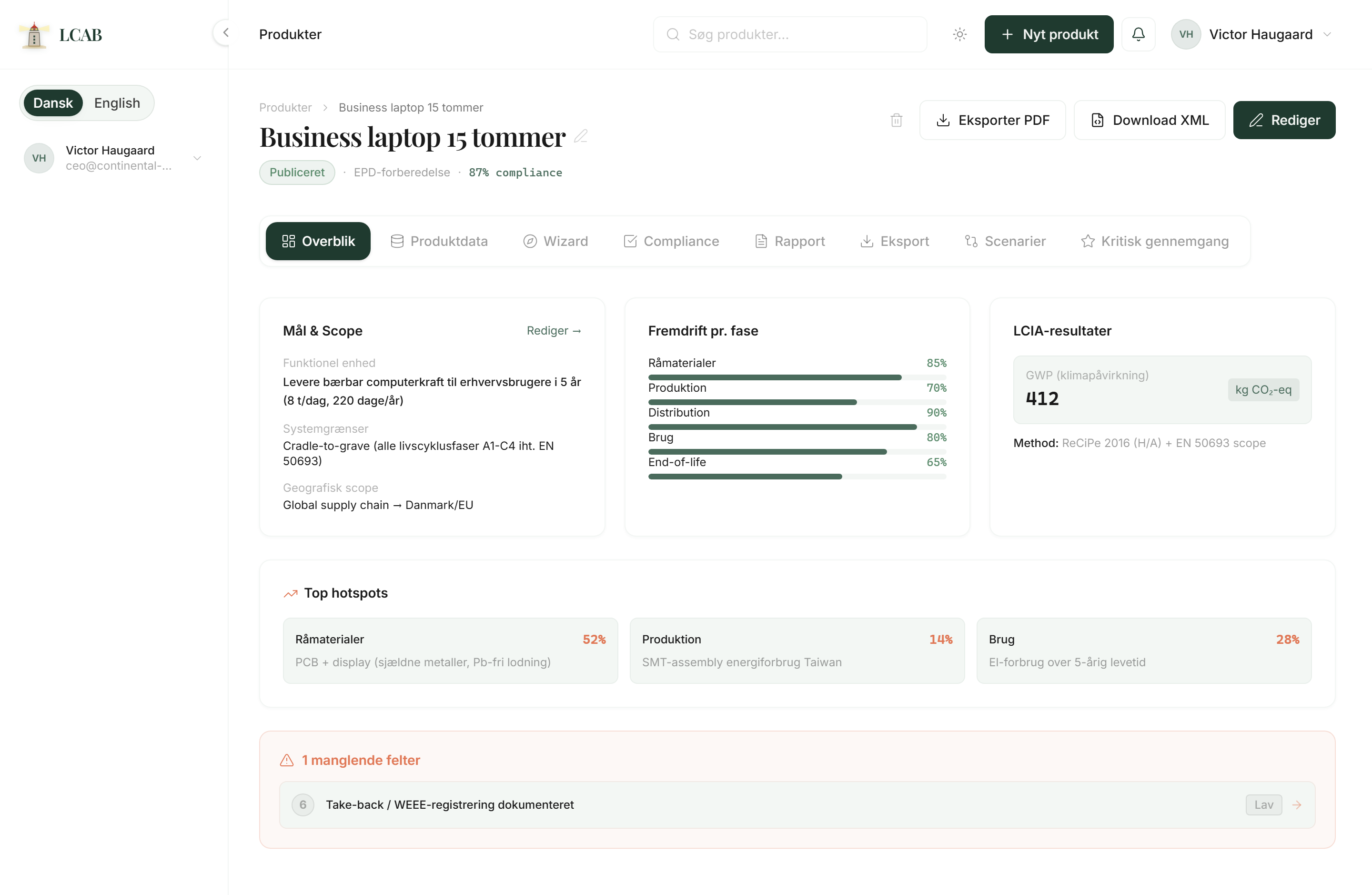
How the LCA steps often look in LCAB
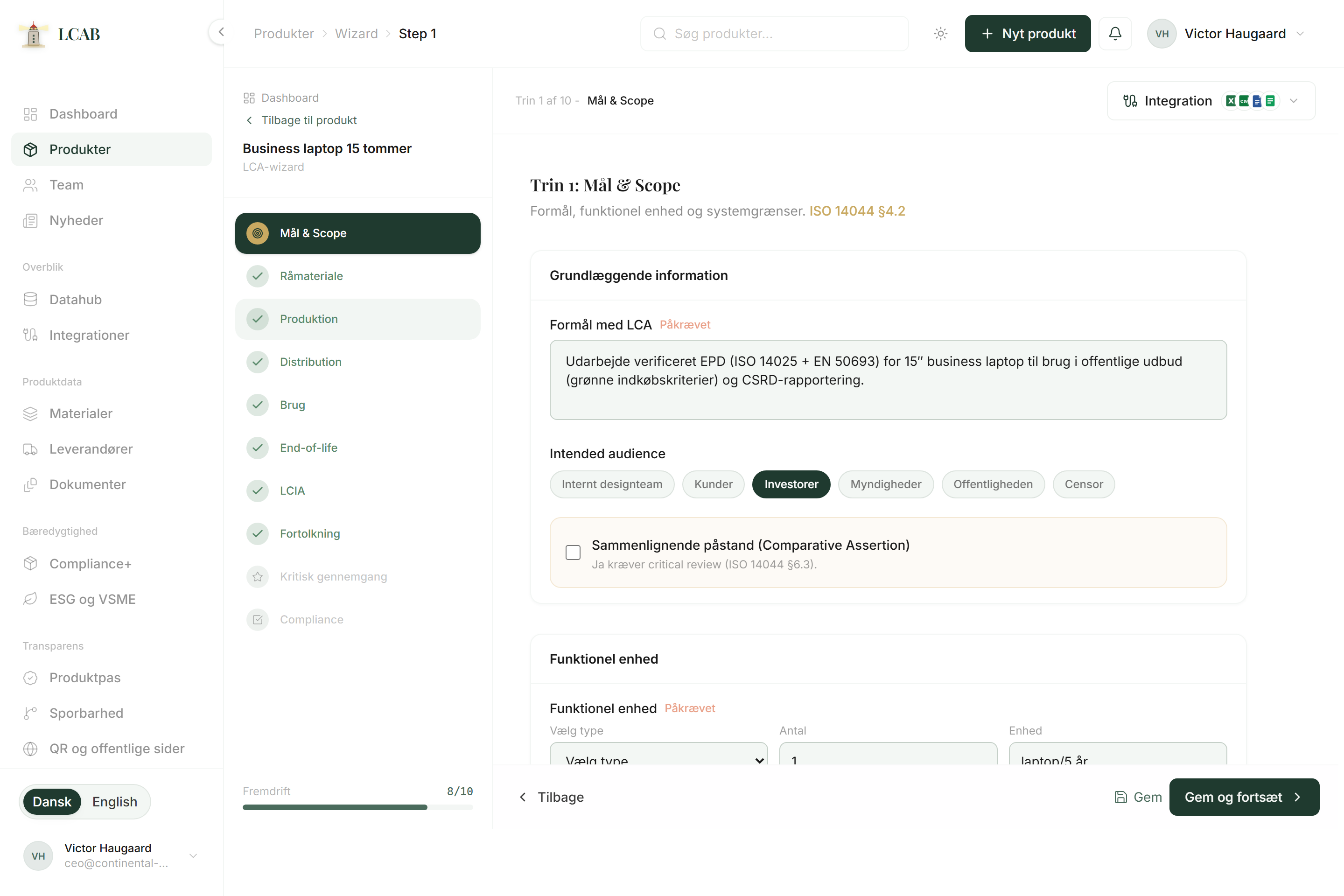
The LCA wizard sits on the individual product, Wizard tab. There are ten steps. They follow ISO 14040 and 14044 as a sequence, not as a certificate. At the top you see progress, step 1 of 10, and saves happen as you go.
Most teams set the ambition level in step 1 to Screening. That means a quick overview with fewer data requirements. Detailed, critical review and EPD preparation sit further out. EPD preparation in LCAB means you gather data for a programme operator. LCAB does not issue the verified EPD.
Haddock, the consultant in the app, can sit open while you fill the form. He sees the page you are on and can point to the next field. He does not replace a third-party verifier, and he does not invent emission factors you do not have.
01
Step 1. Goal and scope
Set purpose, audience, functional unit, system boundary and ambition level. Screening is the natural first choice. Mark the limitations, and skip a comparative assertion unless you will do a critical review.
02
Step 2. Raw material
Each row is a material with quantity, type, origin and a CO2 factor. Pull from the library, and link a supplier. Mark Data missing when the factor is not there. LCAB shows the gap. It does not invent a number you can hide behind.
03
Step 3. Production
Fill in process, location, energy, water and waste when you have it. An empty kWh field is better than a guessed figure that looks like measured data.
04
Step 4. Distribution
Each leg has from, to, km and mode. This is the classic gap for SMEs. If the system boundary includes transport and the list is empty, the climate figure is incomplete. Add at least one leg, or switch to cradle-to-gate.
05
Step 5. Use
Lifetime, electricity, consumables and maintenance. A chair with no electronics often has 0 kWh. If the use phase is on and kWh is missing, that becomes a data gap. Write the assumption so it can be explained.
06
Step 6. End of life
Reuse, recycling, energy recovery, landfill and other must sum to 100 percent. The assumption should be visible, and it is not a take-back scheme you actually run.
07
Step 7. LCIA
Choose the impact method. For screening, climate impact (GWP) is what most teams need. The number is a screening proxy from what you typed, not a verified ISO 14067 or EN 15804 result.
08
Step 8. Interpretation
See hotspots, sensitivity and fields for conclusions, recommendations and limitations. Write the limitations while you remember them, or the draft is easily read as a finished report.
09
Step 9. Critical review
At Screening the step is often not required. It turns on for critical review, EPD preparation or a comparative assertion. Note the reviewer and type. LCAB is not the reviewer.
10
Step 10. Compliance
The check covers 15 mandatory ISO 14044 elements and shows the score as a gap overview. From here you can generate a structured draft. LCAB is not ISO certified, and the score is not an approval stamp.
Nord Chair 02: a concrete walkthrough
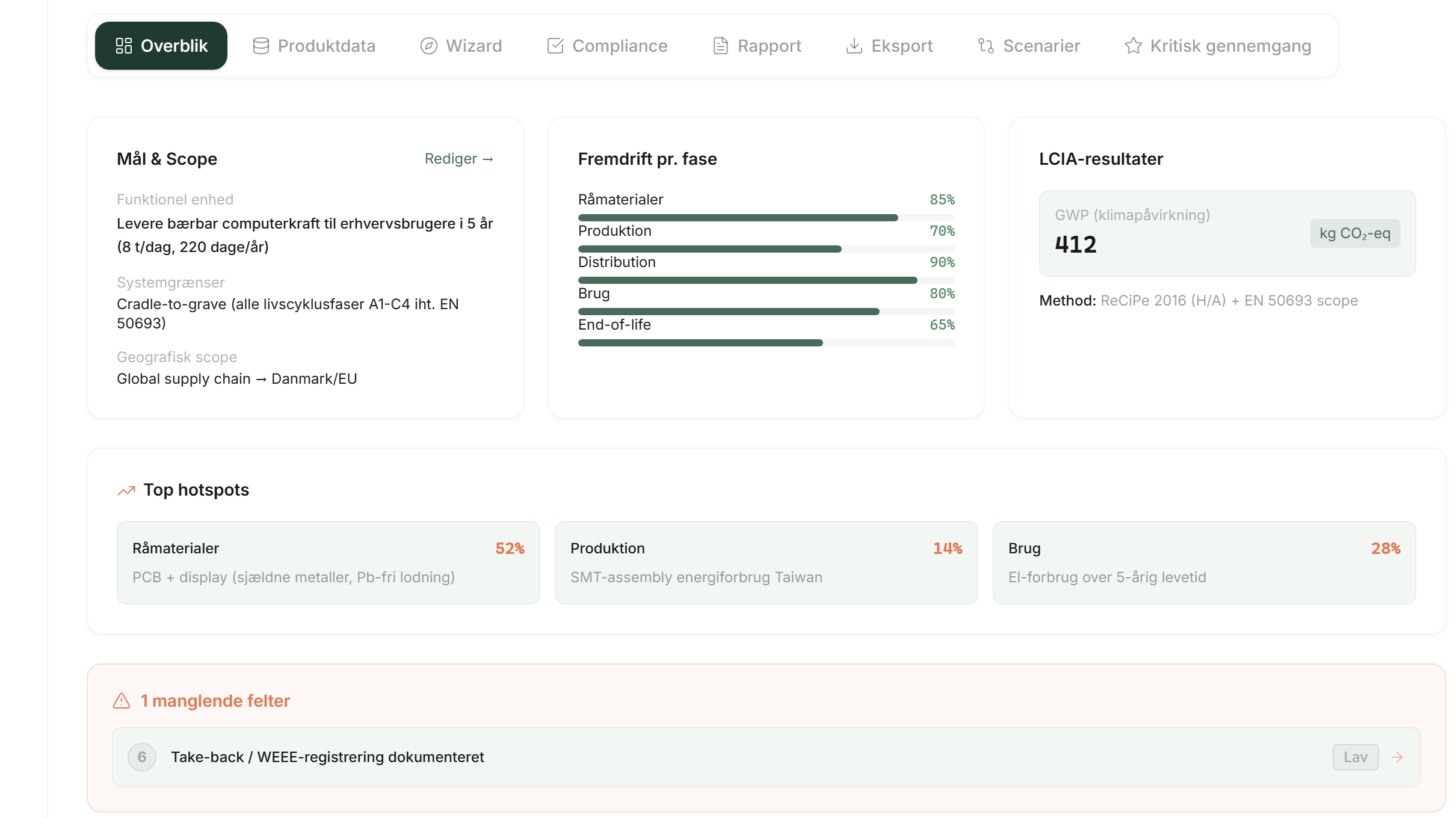
In LCAB, Nord Chair 02 is the running example. The product code is PRODUCT / 0241. The chair has a powder-coated steel frame, recycled PET upholstery and oak armrests. Weight is 14.7 kg. There are 17 materials linked to the chair, 7 suppliers and 18 documents.
Documentation can sit at 84 percent. Material composition, supplier documents and an EPD can be in place, while transport data is missing and end-of-life assumptions are incomplete. That is a typical picture: you have enough to explain the product, and still gaps that will move the number if they are filled in.
If you open the wizard on that chair, step 2 shows rows such as MAT-STEEL-304, MAT-PET-REC and MAT-OAK-ARM. Step 4 is empty or incomplete. Step 6 may sum to 100, but the assumption is weak. The compliance check will miss distribution until you have at least one transport leg. Haddock can point at that. He cannot fill in the kilometres for you.
01
84 percent is a working picture, not a certificate.
02
An attached EPD on the supplier is preparation. The verified declaration still sits with the programme operator.
03
The customer can have a guided draft if you write what 84 percent covers, and what is still missing.
Good enough for a first draft, or not ready
A first draft is good enough when you can explain the product, show the main materials with quantities, and say out loud what is still missing. Ambition level Screening, purpose and functional unit filled in, and data gaps marked instead of invented factors. The climate figure in step 7 matches what you typed, not what you hope.
You are not ready when transport is empty while you claim cradle-to-grave. When emission factors are guessed without the row marked as missing. When you compare with a competitor without a critical review. When you call the PDF draft an EPD. When compliance shows 15 of 15 because the fields have placeholder text.
A practical rule: if you cannot explain the number to a buyer in two minutes, including the gaps, the draft is not ready to send. It can still be ready to keep working on internally.
01
Ready for internal review: product, bill of materials, visible gaps, screening on.
02
Ready for the customer as a draft: the same, plus purpose, functional unit, limitations and a climate figure you dare explain.
03
Not ready: guessed factors, hidden transport, or words like verified and EPD on an LCAB draft.
How a typical LCA flow looks in LCAB
Create the product. The empty state says a bill of materials in Excel is enough to begin.
Import or type materials and quantities. Mark rows where the emission factor or kg is missing.
Link suppliers and put documents on the product, so the PDFs do not only live in email.
Open the LCA wizard. Fill step 1 with purpose, functional unit and Screening as the ambition level.
Work through the steps with the data you have. Transport and end of life are often the visible gaps. Leave them visible.
Look at the compliance check and the calculated climate figure. Share a guided draft with limitations, not an EPD.
Common questions
01
I am a sole trader and know nothing about LCA. Where do I start?
Create a product in LCAB. Take the bill of materials you already have in Excel. You do not need a consultant for a first overview. The wizard asks for purpose and materials before it asks for ISO jargon. ESG is a company assessment, and DDP is the product passport. Both sit beside LCA. LCAB does not certify you, but you can start with what you have.
02
Is this an EPD?
No. An EPD is an environmental product declaration based on an LCA and a PCR, issued by a programme operator after independent third-party verification. In LCAB you can prepare data, EN 15804 modules and a draft. The EPD preparation status means preparation. The verified EPD comes from outside.
03
Do we need a consultant?
Not to start. LCAB is built for teams without an LCA department. A consultant, verifier or programme operator comes in when the customer requires a verified report, a comparative claim or a public EPD. Haddock can explain the fields along the way. He is not the consultant who signs the study.
04
What if the data is messy?
That is how most teams start. Excel with mixed units, a PDF with no real filename, and a supplier who replies next month. Import what you have. Mark Data missing on rows without a factor. Compliance and data gaps (raw materials, production energy, transport, use phase) show what still needs to be collected. Messy data is a starting point. Invented factors are a problem.
05
What does Haddock do?
Haddock is the sustainability consultant in the signed-in platform. He sees the page you are on and can point to the next step in the wizard, the documentation or the passport. When you write, the message and page context may be sent to a language model to produce the answer. Output can be wrong. You must check what matters before it goes to a customer. Haddock does not replace third-party verification.
06
What happens if transport is missing?
If the distribution phase is in the system boundary and you have no transport leg, LCAB records the data gap transport. The calculation then has no truck, sea or air in it. The number can look cleaner than it is. You can fill in from, to, km and mode, switch to cradle-to-gate until you have the figures, or say clearly in the limitations that distribution is not included. Do not guess 800 km unless you write that it is an assumption.
07
Can we show this to a customer?
Yes, as a guided draft, if you show the assumptions and the gaps. Say that it is screening with your data, not a verified EPD. Many buyers first want a number you can explain, and a list of what you are still collecting. Do not send the report as if LCAB approved you. The platform has not.
08
Is LCAB the same as LCAbyg, SimaPro or OpenLCA?
No. LCAB is product documentation and product LCA for SMEs: materials, bill of materials, suppliers and DDP. LCAbyg, SimaPro and OpenLCA are examples of specialist tools in the LCA landscape. LCAbyg is typically building LCA. SimaPro and OpenLCA are often used for deeper expert modelling. LCAB makes product documentation workable for teams without a sustainability department. We do not partner with them, and LCAB does not replace them.
09
Is a CO2 figure the same as an LCA?
No. The climate footprint (GWP) is often the first thing the customer asks for, and what you see in screening in step 7. A wider LCA can also cover other impacts when you have the method and data for that. You can start with climate, as long as you say that is what the number covers.
What LCAB gives you
LCAB is where you gather product documentation and make a draft with your own figures. You can show the draft to the customer and take it with you when you go on to an independent review.
Haddock explains the fields as you work. The compliance score shows gaps in the documentation. An EPD is issued by a programme operator and an independent third party. The digital product passport in LCAB is preparation and display of the data you choose to publish.
If the requirement is a verified EPD, a building LCA in a tool such as LCAbyg, or an auditor-signed ESG report, LCAB is the collection and the structure. The stamp sits with the party that is allowed to issue it.
Want product data kept with the product?
LCAB gathers product data around the product you sell. Start with the files you already have.