01
Sees the current page
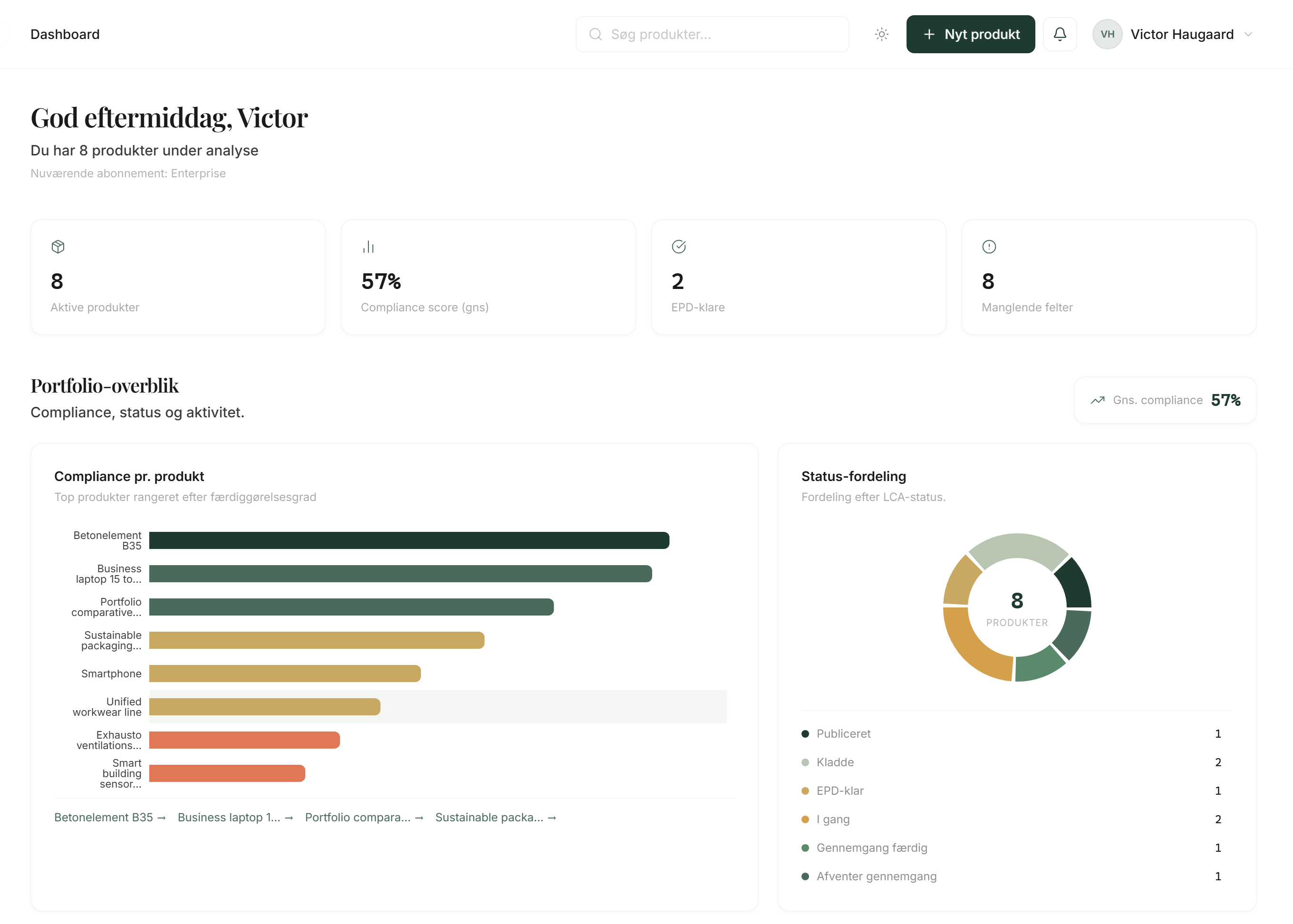
Haddock follows the page you are on, so guidance matches what you are looking at right now.
Product
Haddock is not a generic chatbot on another tab. He lives in LCAB, sees the page and product you are already allowed to open, and helps you move through documentation, CO2, DPP and related requirements.
Capabilities
Concrete abilities in your own context, not generic AI promises.
01
Haddock follows the page you are on, so guidance matches what you are looking at right now.
02
Ask what a field means, where a file belongs, or what is missing before you can move on.
03
He can point you to the right place in the product: materials, documents, wizard or compliance.
04
He knows products, materials and documents within what the role may already see. Not other customers.
How it works
Three steps from question to action in LCAB.
Open the page you are working on
Haddock is available in the signed-in platform and follows the current page.
Ask in your own words
Fields, documents, data gaps, or the next step in LCA, CO2 or DPP.
Get guidance you can act on
Explanations of terms and a pointer to the right place. You still review the content.
Same screen. Same product. A clear next step.
In product
He can see the page you are on, and the products you have open. Unsure about a field, a document or the next step? Ask him there.
He explains what the field means and points you onward. You keep moving, without waiting for a meeting.
Examples
Examples from LCAB work. Not marketing slogans.
01
Haddock can point to empty fields and document types from the page you are on.
02
He knows the Documents flow and how files link to supplier and product.
03
He can point to import under Materials and how you mark gaps.
04
He explains the score and gaps in the context of your open product, without promising certification.
Trust
What the tool can do, and what it is not.
01
Haddock does not replace an LCA consultant, auditor or lawyer. Answers are guidance. You approve what matters before it is used externally.
02
He only sees what the session may already open. Other customer dashboards are not available. Organisation isolation applies here too.
03
When the cloud model is enabled, the message and needed context go to Google Gemini to produce the answer. Output can be wrong. Temporary chat is not stored in the database.
The full text on context, Gemini, saved chats and limits is under Haddock and AI.
Next step
Open the demo, or see how Haddock sits in the platform with products, materials and documentation.
Last updated: August 2026
Haddock is a consultant in LCAB, not an external chatbot brand. Haddock lives in the signed-in platform and helps you understand the page you are on and point to the next step in documentation, CO2, DPP, and related requirements.
Haddock does not replace an LCA consultant, auditor, or lawyer. The answers are guidance. You must check what matters before it is used externally.
Haddock only uses the context the user already has access to in their dashboard and organisation. That can include:
• The current page in the platform • Products, materials, and documents the session is already allowed to see • A short workspace overview, limited by the same access rules as the rest of LCAB
Haddock cannot see other customers' dashboards. Organisation isolation applies here too. A user with a limited role only gets what that role can already open.
Haddock is always available in the signed-in platform. Active here means it can see the current page you are on, so it can point to the next step.
Haddock does not record the screen, keystrokes, or background video. It is not a keylogger, and it does not film your session.
It only sees live context you are already allowed to see: the current page, the open product, and the materials in the session.
Saved chats are still something you start and save yourself. Temporary chat is not stored in the database.
That Haddock does not record the screen or keystrokes does not mean data never leaves the server. When you send a message and the cloud model is enabled, the message and the needed context are sent to Google Gemini to produce an answer. That is described in the section on how an answer is produced.
When Haddock is enabled with a cloud language model, your message, a short excerpt of relevant LCAB knowledge, and the necessary page and workspace context are sent to Google Gemini to produce an answer.
If the cloud model is unavailable, Haddock answers from LCAB's own document library without calling the language model.
Messages are processed to answer. They are not used to train an LCAB language model, and they are not shared into other customers' dashboards.
We do not promise that data never leaves the server. When Gemini is used, the message is processed at that provider to produce the answer.
Saved conversations stay in your LCAB account until you delete them. You can create, open, and delete conversations in the Haddock history.
Temporary chat is not stored in the database. Conversations you delete, or that you leave as temporary chat when you sign out, are not kept as permanent chats with us.
Even in temporary chat, the message may still be sent to the language model to produce the current answer.
LCAB may also use templates and AI-assisted text for reports and guidance. The same principle applies: the text is produced to help you in the product. It is not used to train an LCAB language model, and it is not copied into other customers' environments.
AI output can be wrong or incomplete. You must review it before it goes into an external report or claim.
We do not claim that Google or other cloud providers never process data under their own terms. We do not claim that Haddock is legal advice, that answers are error-free, or that using it certifies you.
We do not sell your conversations. We do not use them to build other customers' knowledge.
Questions about Haddock and AI can be sent to info@windfeldjensen.com
Windfeld Jensen Co. · CVR 46591054 · 23 97 94 91
Lyngbyvej 83A, 2100 København Ø
Next step
Book a walkthrough. We look at your bill of materials and files and show how they land in LCAB.
No commitment. You can start with the demo if you want to see the system first.
01